Fitbit Edge: Features, Battery Life & What's New vs Charge 6
October 12, 2026 · 6 min read
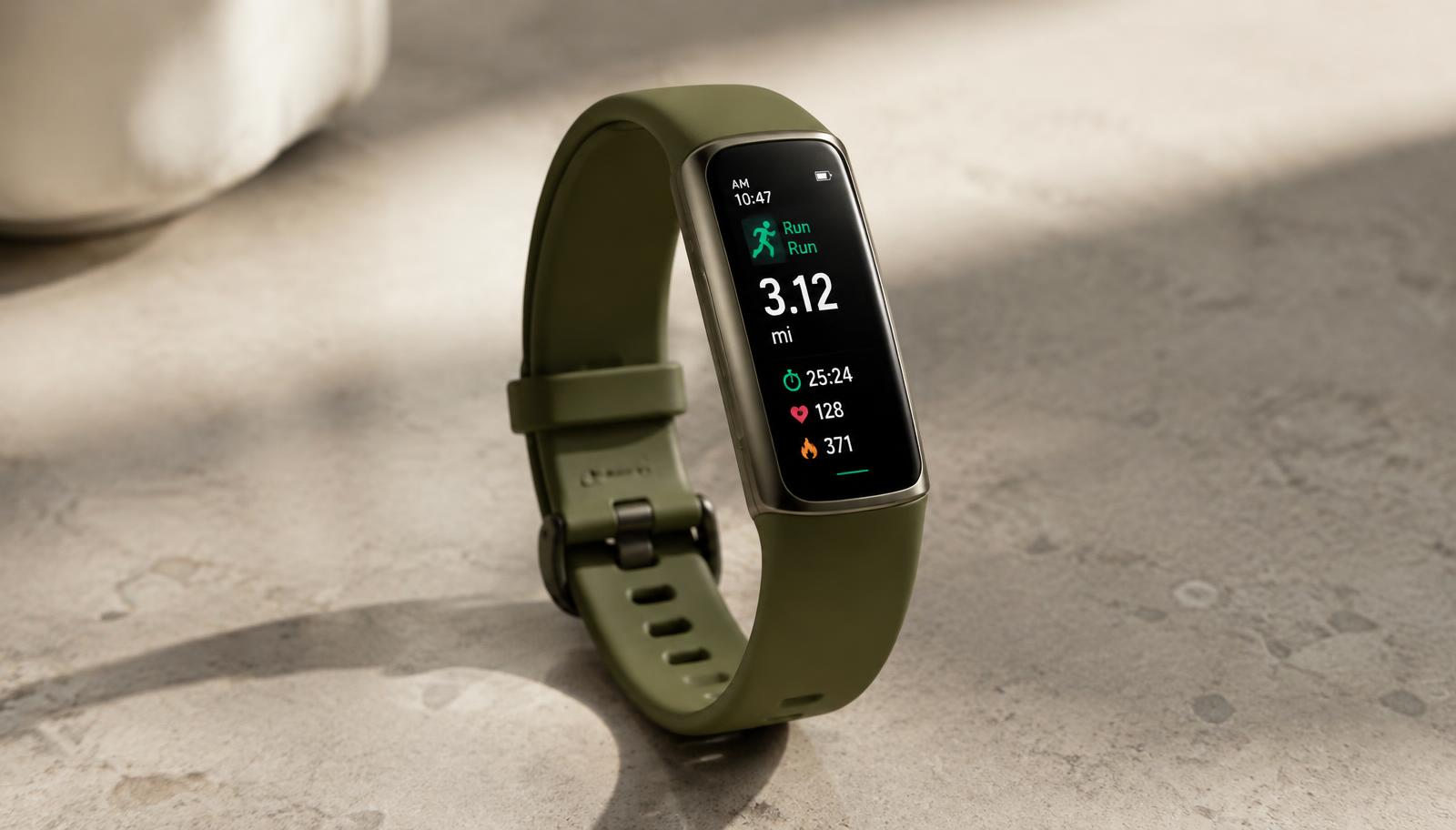
Google has finally replaced the Fitbit Charge 6. The new tracker is called the Fitbit Edge, and it was announced on 12 October 2026.
It sits between the screenless Fitbit Air and the Pixel Watch 5. You get a real display and built-in GPS. You do not get a full smartwatch.
This guide covers what is confirmed, what Google is only claiming, and what is still missing. VitalHub has not tested the Edge yet. Everything below comes from announced specifications.
Fitbit Edge at a glance
| Type | Fitness tracker with screen |
|---|---|
| Display | 1.34-inch AMOLED, always-on option |
| Case | 100% recycled aluminium, 17.7 g without band |
| Battery | Up to 7 days, user-replaceable |
| Charging | About 90 minutes full, 5 minutes for about a day |
| GPS | Built-in, multi-system |
| Water and dust | 5 ATM and IP68 |
| Controls | Touchscreen plus a physical side button |
| Colours | Obsidian, Fog, Olive, Canyon |
| Replaces | Fitbit Charge 6 |
What's new compared with the Charge 6
- A bigger screen. The display is about 46% larger. It is AMOLED, with an optional always-on mode.
- A real button. The Charge 6 used a touch-sensitive spot. The Edge has a physical side button that clicks.
- Better GPS, says Google. A new GPS chip and an aluminium case. Google claims it is 40% more accurate than the Charge 6. That is a manufacturer figure; independent tests will show how it holds up in cities and under trees.
- An altimeter. The Edge can track floors climbed and elevation. The Charge 6 could not.
- A replaceable battery. Rare at this size. When the battery wears out, you can swap it instead of replacing the whole tracker.
- Faster charging. A full charge takes about 90 minutes. Five minutes gives roughly a day of use.
- Dust resistance. IP68 on top of 50-metre water resistance. It tracks pool and open-water swims.
- On-device workout features. Live metrics on your wrist, a summary afterwards, automatic workout detection on the tracker itself, and structured workouts.
- Easier switching. Use the Edge alongside a Pixel Watch or a Fitbit Air on the same account and move between them.
What Google removed
Every upgrade has a trade-off. Two features are gone:
- Contactless payments. NFC has been dropped, so there is no wallet payment on the wrist.
- The EDA sensor and EDA Scan app. Stress is still monitored in the background, but the dedicated scan is gone.
Charge 6 bands also do not fit. The Edge uses a new band attachment.
One more detail worth knowing. The specs list heart rate being stored every two seconds, the same as the Fitbit Air. The Charge 6 stored it every second during exercise. For steady runs this likely does not matter. For hard intervals, wait for real-world tests.
Battery life and charging
Google quotes up to seven days of typical use, based on default settings. Continuous GPS, blood oxygen tracking and the always-on display all shorten it. Expect fewer days if you use them heavily.
The Edge uses the same magnetic charger as the Fitbit Air. The battery is user-replaceable, which should give the device a longer working life than most trackers.
Health tracking and sensors
- Optical heart rate sensor
- Blood oxygen (SpO2) sensors
- Skin temperature sensor
- Accelerometer, gyroscope and altimeter
- Electrical sensors for the ECG app
The ECG app checks for signs of atrial fibrillation. Irregular rhythm notifications and high and low heart rate alerts are included. These features are not available everywhere, and they are not for people under 22 or those with a known arrhythmia.
The Health Metrics dashboard shows heart rate variability, breathing rate, resting heart rate, SpO2 and skin temperature changes. Skin temperature also supports cycle tracking. Sleep tracking covers stages and a nightly Sleep Score. Daily Readiness, Cardio Load, Active Zone Minutes and VO2 max round out the training side.
Coaching and the subscription question
The Edge works with the Google Health app and needs a Google account. The headline software feature is the Gemini-based Google Health Coach. It builds personal plans, adjusts them to your readiness, answers questions about your data, and gives live guidance during workouts.
These coaching features need Google Health Premium. A few months are included with the Edge; after that it is a paid monthly plan. Some trend insights, such as monthly blood pressure and insulin resistance trends, also sit behind it. Google describes them as wellness trends, not clinical readings.
If you want a tracker with no ongoing fee at all, see our guide to the best fitness trackers without a subscription.
Still coming later this autumn
- Google Maps turn-by-turn directions
- Coach-built workouts started from the tracker
- Health Guardian alerts
Do not buy the Edge for these on day one. Treat them as a bonus when they arrive.
Fitbit Edge vs Fitbit Air vs Pixel Watch 5
- Fitbit Air: screenless, built for sleep and recovery. Read our Garmin CIRQA vs Fitbit Air comparison.
- Fitbit Edge: a screen, GPS and a week of battery in a slim band. The middle option.
- Pixel Watch 5: a full Wear OS smartwatch with apps. See our Garmin CIRQA vs Pixel Watch 5 breakdown.
The Edge is the pick if you want a screen for workouts and notifications but do not want to charge a smartwatch every night or two.
Who the Fitbit Edge is for
A good fit if you:
- Want a slim tracker with a screen and built-in GPS
- Like the idea of a battery you can replace
- Run, walk or hike and want elevation and floors data
- Own a Pixel Watch or Fitbit Air and want a second device on the same account
Think twice if you:
- Rely on wrist payments
- Want the dedicated stress scan
- Need a full smartwatch with apps
- Want a tracker with no subscription for coaching
Frequently asked questions
Affiliate disclosure: VitalHub may earn a small commission from qualifying purchases, at no extra cost to you. This article is based on announced specifications. We have not yet tested the Fitbit Edge.